
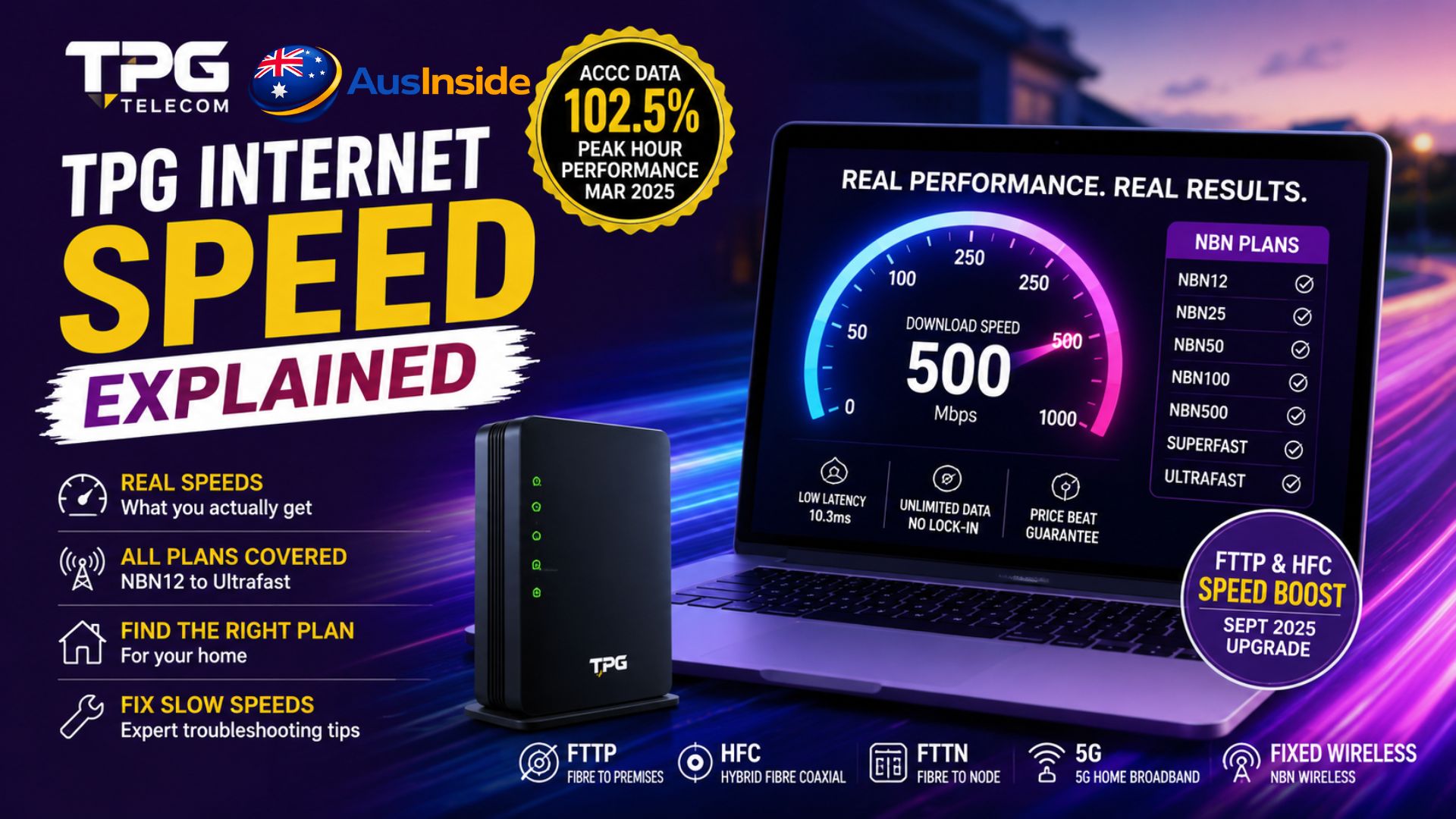
There’s a gap between the speed number on your plan and the speed you actually get at 8pm on a weeknight and most people only discover it after they’ve signed up. TPG is one of Australia’s largest internet providers, trusted by millions of households, and its NBN plans genuinely deliver strong performance. But the word “speed” hides a lot of detail that matters.
This guide cuts through the marketing. You’ll understand exactly what each TPG Internet Speed tier delivers in the real world, which connection type determines your ceiling, what the independent data actually says about TPG’s performance, and how to troubleshoot if your speed isn’t matching what you’re paying for. No padding, no vague claims — just what you need to make a smart decision or fix a real problem.
- Quick Overview
- Maximum Speed vs Typical Evening Speed: Know the Difference
- Every TPG Speed Tier: What You're Actually Getting
- Your Connection Type Is the Real Speed Limit
- What the Independent Data Actually Shows
- Why Your Speed Might Be Lower Than Expected
- How to Run an Accurate Speed Test
- TPG vs Competitors: The Honest Picture
- Which Plan Should You Actually Choose?
- The $0 FTTP Upgrade: Check If You're Eligible
- Key Takeaways
- TPG Internet Speed FAQs
Quick Overview
| Feature | Detail |
| Provider | TPG Telecom (est. 1986, 40+ years of service) |
| Speed tiers available | NBN12, NBN25, NBN50, NBN100, NBN500, Home Superfast, Home Ultrafast |
| Connection types | FTTP, HFC, FTTN, FTTB, FTTC, Fixed Wireless, 5G Home Broadband, TPG Fibre (FTTB) |
| ACCC peak-hour performance (March 2025) | 102.5% of advertised plan speeds |
| Typical latency | 10.1ms (all hours), 10.3ms (busy hours) |
| September 2025 upgrade | Free speed boost on NBN100, Superfast, Ultrafast for FTTP/HFC customers |
| Contract type | No lock-in on all plans |
| Data caps | Unlimited on all NBN plans |
| Price beat guarantee | Yes, against Telstra, Optus, Aussie Broadband, Superloop, Belong, Dodo, Exetel, Tangerine |
Maximum Speed vs Typical Evening Speed: Know the Difference
This is the single most misunderstood concept in Australian broadband, and it directly affects whether you feel ripped off or satisfied with your plan.
Maximum speed is the theoretical top speed available during ideal, off-peak conditions. Think 2am, no neighbours online, a perfect line. It’s the headline number.
Typical evening speed is what most customers on that plan can actually expect between 7pm and 11pm, when the whole street is streaming and gaming simultaneously. This is the number the ACCC requires all NBN providers to publish, and it’s far more useful.
The ACCC mandates typical evening speed disclosure precisely because providers used to advertise maximum speeds that most customers would never realistically see. A plan marketed as “up to 100Mbps” might realistically deliver 72Mbps at peak time on a congested provider’s network — or 97Mbps on an efficient one. That difference is real and felt daily.
TPG advertises typical evening speeds for all its NBN plans, measured between 7pm and 11pm local time. Always compare this number, not the maximum, when choosing between plans or providers.
Every TPG Speed Tier: What You’re Actually Getting
NBN25 (Home Basic II)
| Max download | 25 Mbps |
| Max upload | 5 Mbps |
| Typical evening download | ~25 Mbps |
| Best for | Solo users, email, casual browsing, one SD/HD stream |
Functional for a single person who isn’t doing much simultaneously. The moment two people start streaming at the same time, it shows its limits. If you’re working from home with video calls, this tier will feel tight.
NBN50 (Home Standard)
| Max download | 50 Mbps |
| Max upload | 20 Mbps |
| Typical evening download | ~48–50 Mbps |
| Best for | 2–3 person households, HD streaming, video calls, light gaming |
This is genuinely comfortable for a small household. Two HD streams running simultaneously, someone on a Zoom call, a third person browsing — NBN50 handles that without drama. Upload of 20Mbps is also a meaningful improvement over NBN25 for video conferencing quality.
NBN100 (Home Fast)
| Max download | 100 Mbps |
| Max upload | 20 Mbps |
| Typical evening download | ~90–95 Mbps |
| Best for | Families, 4K streaming, work from home, online gaming |
| Standard price | $94.99/mth |
The most popular tier in Australia, and with good reason. TPG’s NBN100 currently comes with $30/month off for the first 6 months, making it $64.99/mth to start. That’s a genuinely strong value. Four people using the internet simultaneously, one on 4K, one gaming, two working — this handles it cleanly.
Key update for existing customers: From 14 September 2025, TPG NBN100 customers on FTTP or HFC connections received an automatic speed boost at no extra cost. If you’re on this plan with one of those connection types, your service has already improved.
NBN500 (Home Fast II)
| Max download | 500 Mbps |
| Max upload | 20 Mbps |
| Typical evening download | 500 Mbps |
| Available on | FTTP and HFC only |
| Best for | Large families, content creators, heavy downloaders |
This tier’s typical evening speed matching its maximum is unusual and impressive. Most plans bleed speed at peak hour; the NBN500 holds its ground. Currently available for $69.99/mth for 12 months (reverts to $94.99/mth), it represents exceptional value if your address supports FTTP or HFC.
Worth noting: the September 2025 NBN speed upgrade also brought improvements to this tier for eligible connections.
Home Superfast (NBN250 equivalent, now upgraded)
| Typical evening download | 210 Mbps |
| Typical evening upload | 21 Mbps |
| Available on | FTTP and HFC only |
| Best for | 6+ device households, multiple 4K streams |
Three times faster than NBN50 during peak hours. The upload of 21Mbps is also a meaningful figure for households where multiple people are on video calls or uploading content regularly.
Home Ultrafast (NBN1000)
| Max download | Up to 990 Mbps (FTTP) / 500 Mbps (HFC) |
| Typical evening download | ~450–800 Mbps |
| Typical evening upload | ~40 Mbps |
| Available on | FTTP and HFC only |
| Best for | Power users, home-based businesses, content creation |
TPG advertises an 800Mbps typical evening speed on the Ultrafast tier, which places it among the fastest in the country on this metric. Be aware: actual maximum download speed depends on your connection type. FTTP gives you up to 990Mbps, while HFC connections cap at 500Mbps.
Honest reality check: very few households genuinely need this. If you’re a solo user who just watches Netflix, paying for Ultrafast is overkill. This tier makes sense for households with many heavy concurrent users, people who regularly upload large files, or home offices running bandwidth-intensive applications.
Your Connection Type Is the Real Speed Limit
Here’s what most comparison sites skip over. Every TPG NBN plan carries the same tier name regardless of how you’re connected, but the technology type underneath determines what speed is actually physically possible at your address. Two people on the same “NBN100” plan can have completely different experiences.
FTTP (Fibre to the Premises)
Fibre runs directly into your home. This is the gold standard. Speed is consistent, upload is strong, and you have access to every tier TPG offers including NBN500 and above. If your address is FTTP, you have the best possible foundation.
HFC (Hybrid Fibre Coaxial)
Fibre reaches your street, then coaxial cable (the same type used by pay TV) carries the signal to your premises. Excellent performance, supports all high-speed tiers, though HFC connections cap the Ultrafast plan at 500Mbps rather than the full 990Mbps available on FTTP.
FTTN (Fibre to the Node)
Fibre terminates at a street cabinet, and the signal travels the remaining distance to your home via existing copper phone lines. This is where things get complicated.
Your maximum achievable speed on FTTN is determined entirely by the length and quality of the copper wire between you and that cabinet. The numbers are stark:
- Under 200m from node: likely near-NBN100 speeds
- 300–500m from node: often NBN50–70 speeds
- 700m+ from node: may struggle to achieve NBN50 reliably
Roughly 30% of Australian NBN connections are still FTTN. If you’re on this technology type, your modem negotiates a “sync speed” with the NBN node when it connects. That sync speed is your absolute ceiling — no plan upgrade, no settings change, and no different ISP can push you past it. It’s a physical limitation of the copper wire.
You can check your FTTN sync speed by logging into your modem’s admin page (usually at 192.168.1.1) and looking at the downstream rate. If it shows 48Mbps and you’re paying for NBN100, you know exactly why your speeds are capped.
The good news: NBN Co is actively upgrading FTTN addresses to FTTP as part of a national program, aiming to cover around 10 million premises. TPG offers a $0 standard installation upgrade for eligible addresses. If you’re on FTTN and frustrated, this is worth checking immediately.
FTTB / FTTC
Similar to FTTN but with fibre running to your building (for apartments) or to a curb device near your premises. Generally better performance than FTTN but still subject to copper-related limitations for the final stretch. These connection types also cannot access the highest NBN speed tiers.
Fixed Wireless
Signal travels via radio waves to an antenna at your property. Performance depends heavily on tower distance, terrain, and local congestion. Not recommended for latency-sensitive gaming. Speeds can be solid for most daily use but are less consistent than fixed-line connections.
5G Home Broadband
Uses the mobile 5G network rather than the NBN. TPG offers this as an alternative where NBN isn’t available, or as a simple plug-in solution. Key limitation: higher latency makes it unsuitable for competitive gaming or real-time applications. Typical evening speeds can also vary significantly based on how many people in your area are simultaneously using the same 5G tower.
What the Independent Data Actually Shows
Advertised speeds are one thing. What does the real-world performance data say?
According to the ACCC’s Measuring Broadband Australia report published in March 2025, TPG delivered 103.1% of advertised plan speeds during all hours and 102.5% during the busy hours of 7pm–11pm. Exceeding 100% means TPG is, on average, overdelivering on its own promises during the times it matters most.
TechRadar’s review of the same ACCC data confirmed TPG beat out Aussie Broadband, Superloop, and Vodafone in average download speed during both all hours and peak period. That’s a meaningful result from a trusted measurement body.
The most recent ACCC quarterly data shows that across all fixed-line NBN providers, the average download speed during busy hours reached 100.5% of plan speed. TPG is performing in line with or above this industry average.
On outages: The picture is slightly less flattering. WhistleOut’s analysis of multiple ACCC quarterly reports found TPG ranking toward the bottom of providers on outage frequency. TPG users experienced an outage (lasting more than 30 seconds) roughly every 2.5 days on average. However, most TPG outages are short: nearly 40% resolve within 30–60 seconds. Only about 10% last 10 minutes or more.
Context matters here. If your 2.5-day outages are sub-60 seconds each, that’s a very different experience from a provider with fewer but longer disruptions. Vodafone and Optus rank better on outage frequency, while Aussie Broadband’s outages tend to run longer when they do occur.
On latency: TPG’s ACCC-measured latency is 10.1ms across all hours and 10.3ms during busy periods. Superloop (8.3ms) and Exetel (6.9ms) perform better on this measure. For most users this difference is imperceptible. For competitive gaming where milliseconds matter, it’s worth considering.
Why Your Speed Might Be Lower Than Expected
Before calling TPG support, work through this checklist. Most slow speed complaints have a fixable in-home cause.
1. You’re testing over Wi-Fi
This is the most common trap. Wi-Fi introduces variables — wall thickness, distance, interference from neighbouring networks, device antenna quality — that have nothing to do with your internet plan. A speed test on Wi-Fi from another room can show 40Mbps on a 100Mbps plan and make everything look like a fault.
Fix: Connect your device directly to the modem with an Ethernet cable and run the test again. If wired speeds are fine, the problem is your Wi-Fi setup, not your internet connection.
2. Your modem isn’t compatible with your plan
This catches a lot of people who upgrade plans. Running NBN500 or higher on a modem that was provided for an NBN50 plan can physically cap your speeds. TPG requires a Wi-Fi 6 compatible modem with Gigabit Ethernet ports for NBN500, Superfast, and Ultrafast plans. Older modems running only Wi-Fi 5 (802.11ac) or earlier may limit speeds on higher-speed plans, and Wi-Fi 4 (802.11n) can significantly reduce performance.
Fix: Check TPG’s modem compatibility page. If your modem predates 2019 or was supplied for a lower-tier plan, it may need replacing.
3. Your Ethernet cables are outdated
CAT5 cables (the older standard) are not recommended for NBN services. You need CAT5e or CAT6 for reliable performance. If the cables in your home were never updated, this can silently cap your speeds even on a wired connection.
4. Network congestion — evening peak hours
TPG buys a certain amount of CVC (Connectivity Virtual Circuit) bandwidth from NBN Co to serve customers in each area. During peak hours, if that capacity is stretched, everyone on that segment slows down slightly. This is normal and affects every ISP, though providers who invest more in CVC capacity experience less congestion. Running a speed test at 3pm versus 8pm can reveal whether this is your issue.
5. Your FTTN sync speed is the actual ceiling
As covered above: if you’re on FTTN and your modem’s downstream sync rate is lower than your plan’s maximum speed, no troubleshooting will change that. The copper line is the limit.
6. Background applications on devices
Automatic operating system updates, cloud backups (iCloud, Google Drive, OneDrive), and streaming on other devices all consume bandwidth while you’re trying to run a speed test or use a video call. Close everything, disconnect all other devices, then test.
How to Run an Accurate Speed Test
A rushed speed test is meaningless. Here’s how to get a result you can actually act on:
- Connect to the modem via Ethernet cable — not Wi-Fi
- Disconnect all other devices from the network
- Close every application on the test device
- Power cycle the modem (turn off, wait 30 seconds, turn back on)
- Wait 60 seconds after it reconnects
- Visit speedtest.net, fast.com, or use TPG’s built-in service test in My Account
- Run three tests and take the average
If your wired result matches or comes close to your plan’s typical evening speed, the connection is performing correctly. If wired speeds are consistently low, that points to a line-level issue: contact TPG with your test results.
TPG’s My Account service test can also be run from your phone without being connected to your home internet, which is useful if you’re diagnosing a complete outage.
TPG vs Competitors: The Honest Picture
Since every NBN retailer uses the same physical NBN infrastructure, the differences between providers come down to price, how much CVC capacity they purchase, customer support quality, and any added extras.
| Provider | Speed performance | Price positioning | Latency | Support quality |
| TPG | ACCC: 102.5% at peak | Mid-range | 10.3ms (busy) | Mixed reviews |
| Aussie Broadband | Slightly behind TPG in ACCC speed data | Comparable to TPG | 10.2ms (busy) | Consistently praised |
| Superloop | 100.1% at peak | Comparable to TPG | 8.7ms (busy) | Good, transparent tools |
| Telstra | Strong, premium network | $15–20/mth more | Competitive | Fast support, 4G backup |
| Optus | Solid performer | Between TPG and Telstra | Competitive | 4G backup, gaming features |
TPG’s edge is value: strong ACCC-verified speeds at prices that beat Telstra and Optus, backed by a price beat guarantee against named competitors. Superloop edges TPG on latency, which matters for gaming. Aussie Broadband’s customer service reputation is better. Telstra’s 4G backup means you stay online during NBN outages, which some households value enough to pay the premium.
For urban households on FTTP or HFC who want reliable, fast internet at a competitive price, TPG is a strong default. For competitive gamers, Superloop or Exetel’s lower latency figures are worth the comparison.
Which Plan Should You Actually Choose?
| Household situation | Recommended tier | Why |
| Solo user, light use | NBN25 or NBN50 | No need to overspend; either handles solo streaming and browsing |
| Couple, mix of work and streaming | NBN50 or NBN100 | NBN100 gives headroom for simultaneous demands |
| Family of 3–4 with regular 4K | NBN100 | The value sweet spot; handles most concurrent household demands |
| 5+ devices, multiple 4K streams | NBN500 | Real headroom; typical evening speed stays solid |
| Power users, content creators | Home Ultrafast | Upload speed and raw bandwidth matter here |
| No NBN at address | 5G Home Broadband | Aware of the latency limitations |
One thing most guides skip: upload speed matters more than people think. On NBN plans, upload speeds are significantly lower than download speeds across most tiers. If you’re doing regular video calls, uploading large files to cloud storage, live streaming, or running a home server — the upload figure is as important as the download.
NBN100’s 20Mbps upload is fine for most work-from-home scenarios. Superfast’s 21Mbps upload is similar. Ultrafast’s 40Mbps upload is where it gets meaningful for content creators and heavy users.
The $0 FTTP Upgrade: Check If You’re Eligible
NBN Co is mid-way through a national program to upgrade FTTN connections to FTTP, targeting approximately 10 million premises. If your address is currently on FTTN, this could be the most impactful change available to you — not a plan upgrade, but a connection technology upgrade that removes the copper bottleneck entirely.
TPG facilitates this upgrade and offers standard installations at no cost for eligible addresses. The installation process typically takes several weeks, and TPG will set you up on an interim NBN100 plan while the work is completed.
Check eligibility at TPG’s website using the address checker, or directly through NBN Co’s website.
Key Takeaways
- Typical evening speed (7–11pm) is the number that matters, not the maximum. Always compare this figure between plans and providers.
- Your connection type (FTTP, HFC, FTTN) determines your realistic speed ceiling, regardless of which plan you’re on.
- TPG delivered 102.5% of advertised plan speeds during busy hours in ACCC March 2025 data, outperforming Aussie Broadband, Superloop, and Vodafone.
- TPG users average outages every ~2.5 days, but most are under 60 seconds. Not best-in-class, but not alarming.
- NBN100 is the value sweet spot for most Australian households. The September 2025 upgrade made it even better for FTTP/HFC customers at no extra cost.
- Slow speeds are most often caused by Wi-Fi testing, incompatible modems, or FTTN copper limitations, not the plan itself.
- If you’re on FTTN and can’t hit your plan’s speed, investigate the free FTTP upgrade before assuming you need a new provider.
TPG Internet Speed FAQs
Why is my TPG speed slower at night?
Evening peak hours (7–11pm) put maximum demand on both TPG’s network capacity and the NBN infrastructure. This is normal across all providers. If your speeds drop dramatically at night but are fine during the day, it suggests either your FTTN copper line is marginal, or there’s congestion on TPG’s local CVC capacity. Run tests at different times across multiple days to identify the pattern, then contact TPG support with your results.
Can I get NBN500 or higher on FTTN?
No. NBN500, Home Superfast, and Home Ultrafast plans are only available on FTTP (Fibre to the Premises) and HFC (Hybrid Fibre Coaxial) connections. If your address is FTTN, you’ll need to upgrade to FTTP first — which may be available at no cost through the national fibre upgrade program.
Does my modem affect my internet speed?
Yes, significantly. For NBN500 and above, you need a Wi-Fi 6 capable modem with Gigabit Ethernet ports. An older modem from a lower-tier plan will physically cap what speed passes through it. For high-speed plans, this is not a small limitation — it can cut your effective speed by half or more.
What speed do I need for 4K streaming?
Netflix requires approximately 25Mbps per 4K stream. Two simultaneous 4K streams need about 50Mbps just for that, plus headroom for everything else running in the household. NBN100 is the comfortable minimum for a family with 4K viewing habits. NBN500 gives genuine breathing room.
Is TPG internet good for gaming?
TPG’s latency of 10.1–10.3ms is adequate for most online gaming. It’s not the lowest on the market (Superloop at 8.3ms and Exetel at 6.9ms are better), but the difference is minimal for casual gaming. Competitive FPS or fighting game players who care deeply about latency might consider Superloop or Exetel. For everyone else, TPG on NBN100 or above is a perfectly functional gaming connection.
How do I contact TPG if my speed is consistently low?
Run the service test in My Account first — it gives TPG diagnostic data about your line. If the issue persists, call TPG’s NBN technical support on 1300 997 271. Have your speed test results (from Ethernet, not Wi-Fi) ready when you call, along with the time and date they were taken. This dramatically speeds up the diagnostic process.
What is TPG’s price beat guarantee?
TPG will beat the price of any equivalent NBN plan from Telstra, Optus, Aussie Broadband, Superloop, Belong, Dodo, Exetel, or Tangerine over your first 12 months. The competitor’s offer must be publicly available, on the same or equivalent tier, and available for immediate purchase. Bundles, cashback offers, and locked contracts from competitors are excluded.