

Have you ever carried out speed tests on Telstra Internet Speed Test and noticed such numbers as 100 Mbps but could not download your games any faster than 12MB/sec? Imagine if you were paying a bit extra for an extremely fast Telstra NBN package but always encountered buffering, lagging, and slow internet downloading?
You are not the only one who suffers from this problem.
Having dealt with numerous broadband connection issues and read through many threads posted by Australian internet users, we managed to come up with one simple conclusion – there’s rarely something wrong with your plan. The reasons for the slow internet can be found elsewhere including issues associated with Wi-Fi range, improper router positioning, outdated hardware, and poor understanding of how speed test results should be interpreted.
That’s precisely the reason why Telstra speed tests are meaningless without knowing how to properly interpret them.
Most Australians believe that the internet speed provided in speed tests matches the speed at which you are able to download games from Steam, Epic Games store, PlayStation, and other cloud storage services. However, this isn’t always the case since speed tests and download management tools may operate on entirely different measurements.
Knowing all this will save you from a lot of hassle.
In this guide, we are going to discuss what a proper Telstra internet speed test looks like, learn more about download speed, upload speed, ping, packet loss, and jitter, compare Telstra NBN speed tiers, learn why evening speeds are slower compared to daytime speeds, and learn how you can increase your internet performance.
What’s more important, you’ll find out when slow speeds shouldn’t worry you.
Have A Look On It: Telstra Mobile Plans
- Quick Overview
- What Is a Telstra Internet Speed Test?
- How to Run a Telstra Internet Speed Test Correctly
- Understanding Your Speed Test Results
- The Biggest Speed Test Confusion: Mbps vs MB/s
- Why Steam Downloads Look Slower Than Your Speed Test
- Telstra NBN Speed Tiers Explained
- Why Evening Speeds Matter More Than Advertised Speeds
- Why Your NBN Technology Matters More Than You Think
- Telstra Smart Modem: Could It Be Affecting Your Speed?
- Real-World Troubleshooting: What Actually Causes Slow Internet?
- How Wi-Fi 6 Can Improve Your Experience
- Should You Use a Mesh Wi-Fi System?
- Common Mistakes People Make During Speed Tests
- When You Should Contact Telstra
- Expert Insight: The Biggest Myth About Internet Speed
- Key Takeaways
- Final Thoughts
- Frequently Asked Questions
Quick Overview
| Metric | What It Measures |
| Download Speed | Data coming from the internet |
| Upload Speed | Data sent to the internet |
| Ping | Response time between device and server |
| Jitter | Consistency of latency |
| Packet Loss | Lost data during transmission |
| Best Testing Method | Wired Ethernet connection |
| Most Common Issue | Home Wi-Fi limitations |
| Peak Usage Hours | 7 PM – 11 PM |
What Is a Telstra Internet Speed Test?
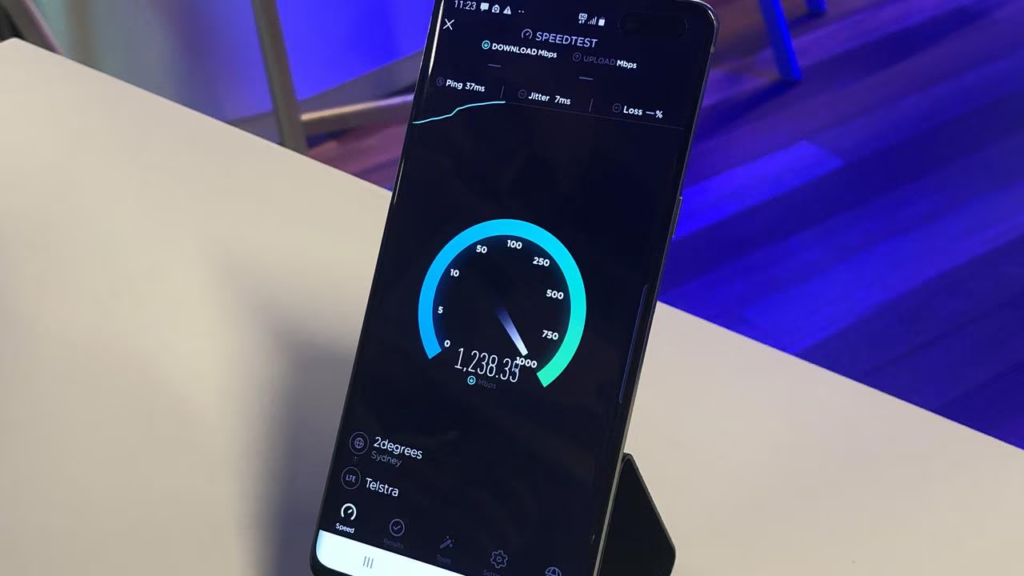
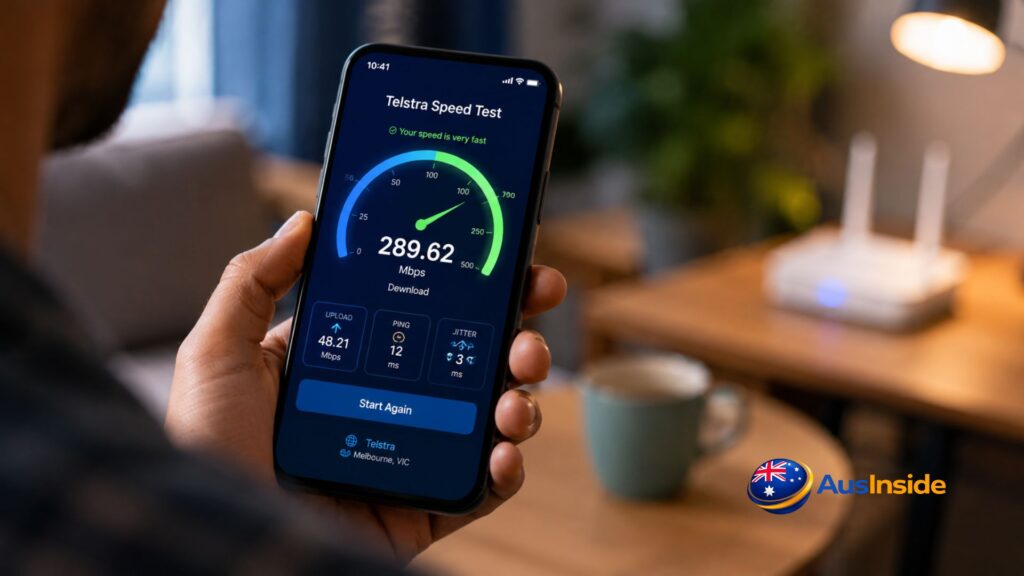
A Telstra internet speed test measures how quickly your internet connection transfers data at a specific moment.
Most speed tests evaluate:
- Download speed
- Upload speed
- Ping
- Latency
- Jitter
- Packet loss
These measurements help determine how your connection performs during everyday activities such as:
- Streaming Netflix
- Watching YouTube
- Playing online games
- Joining Zoom meetings
- Downloading large files
- Uploading videos
- Working from home
Think of a speed test as a snapshot rather than a permanent score.
The result reflects current conditions and may vary throughout the day.
How to Run a Telstra Internet Speed Test Correctly
Many people unknowingly test their connection under poor conditions.
The result?
Inaccurate numbers.
For the most reliable results:
1. Use an Ethernet Cable
A wired connection removes common Wi-Fi issues such as:
- Signal interference
- Distance-related losses
- Congested wireless channels
If you’re troubleshooting speed issues, Ethernet testing should always be your starting point.
2. Pause Background Activity
Before testing:
- Stop downloads
- Pause streaming
- Close cloud backups
- Disconnect gaming consoles
Even one active device can affect the result.
3. Run Multiple Tests
Test:
- Morning
- Afternoon
- Evening
This helps identify peak-hour congestion.
4. Test More Than One Device
A speed problem on one laptop doesn’t necessarily mean the internet itself is slow.
Older devices can become the bottleneck.
Understanding Your Speed Test Results
Many users focus entirely on download speed.
That’s only part of the story.
Download Speed
Download speed measures how quickly data reaches your device.
Activities affected include:
- Video streaming
- File downloads
- Web browsing
- Software updates
Higher download speeds generally improve performance when multiple people are online simultaneously.
Upload Speed
Upload speed measures how quickly information leaves your device.
This affects:
- Zoom calls
- Microsoft Teams meetings
- Cloud backups
- Live streaming
- Social media uploads
A poor upload speed often causes video call problems.
Ping
Ping measures response time.
Lower numbers are better.
| Ping | Performance |
| Under 20 ms | Excellent |
| 20–50 ms | Very Good |
| 50–100 ms | Acceptable |
| Above 100 ms | Noticeable Delay |
Gamers often care more about ping than download speed.
Jitter
Jitter measures how stable your latency remains.
High jitter can cause:
- Audio dropouts
- Video call issues
- Gaming lag spikes
Packet Loss
Packet loss occurs when data never reaches its destination.
Symptoms include:
- Buffering
- Call interruptions
- Rubber-banding in games
- Slow page loading
Even a fast connection can feel terrible if packet loss is present.
The Biggest Speed Test Confusion: Mbps vs MB/s
This is where many Telstra users become frustrated.
Imagine your speed test shows:
100 Mbps
Then Steam starts downloading a game at:
12.5 MB/s
Many people think they’re only getting a fraction of the speed they’re paying for.
They’re actually receiving the full speed.
Here’s why.
Internet providers measure speed in:
Mbps (Megabits per second)
Most download apps display:
MB/s (Megabytes per second)
Since:
8 bits = 1 byte
You divide Mbps by 8 to calculate actual file download speeds.
Mbps to MB/s Conversion Table
| Speed Test Result | Real Download Speed |
| 10 Mbps | 1.25 MB/s |
| 25 Mbps | 3.12 MB/s |
| 50 Mbps | 6.25 MB/s |
| 100 Mbps | 12.5 MB/s |
| 250 Mbps | 31.25 MB/s |
| 500 Mbps | 62.5 MB/s |
| 1000 Mbps | 125 MB/s |
Another way to remember it:
1 Mbps ≈ 125 KB/s
or
8 Mbps = 1 MB/s
This simple conversion explains countless “slow internet” complaints.
Why Steam Downloads Look Slower Than Your Speed Test
A common scenario looks like this:
Speed test result:
100 Mbps
Steam download:
12.5 MB/s
The user assumes they’re losing speed.
In reality:
100 Mbps ÷ 8 = 12.5 MB/s
The numbers match perfectly.
Steam, Battle.net, Epic Games Launcher, and many browsers display downloads in megabytes rather than megabits.
Once you understand the difference, the confusion disappears.
Telstra NBN Speed Tiers Explained
Many Australians don’t know what speeds they should realistically expect.
Here are the common Telstra NBN tiers:
| Plan Tier | Typical Evening Speed |
| Standard | 25 Mbps |
| Standard Plus | 50 Mbps |
| Premium | 100 Mbps |
| Premium Plus | 500 Mbps |
| Superfast | 750 Mbps |
| Ultrafast | 815 Mbps |
The important phrase here is:
Typical Evening Speed
This is the performance providers expect customers to receive during busy hours, usually between 7 PM and 11 PM.
These figures are often more useful than theoretical maximum speeds.
Why Evening Speeds Matter More Than Advertised Speeds
Most people use the internet after work.
That’s also when network demand reaches its highest point.
Australian broadband providers publish typical evening speeds because they provide a more realistic picture of everyday performance.
A plan advertised at 100 Mbps should ideally deliver close to that speed during peak periods.
If your evening speed consistently falls far below expectations, further investigation may be necessary.
Why Your NBN Technology Matters More Than You Think
One of the most overlooked factors in broadband performance is the technology connecting your home to the National Broadband Network.
Two households can subscribe to the same Telstra plan and experience completely different results.
The reason often comes down to the type of NBN connection available at their address.
FTTP (Fibre to the Premises)
FTTP is generally considered the gold standard.
Benefits include:
- Highest speed potential
- Lower latency
- Better reliability
- Strong future upgrade capability
Properties connected via FTTP typically experience fewer limitations when upgrading to faster plans.
HFC (Hybrid Fibre Coaxial)
HFC uses a combination of fibre and coaxial cable.
Advantages include:
- Fast download speeds
- Support for higher-speed plans
- Broad availability in many areas
However, performance can vary depending on network congestion and local infrastructure.
FTTC (Fibre to the Curb)
FTTC delivers fibre close to the property before using a short copper connection.
This technology often provides:
- Strong reliability
- Good latency
- Consistent performance
Many users find FTTC performs surprisingly close to FTTP for everyday use.
FTTN (Fibre to the Node)
FTTN relies more heavily on existing copper lines.
Performance can depend on:
- Distance from the node
- Copper cable condition
- Local infrastructure quality
This is why some households upgrade to faster plans yet see little improvement.
The plan may support higher speeds, but the connection technology becomes the limiting factor.
Telstra Smart Modem: Could It Be Affecting Your Speed?
Many Telstra customers use the Telstra Smart Modem.
While it offers useful features, understanding how it works can help explain unusual speed results.
What Is the Telstra Smart Modem?
The Smart Modem combines:
- Standard broadband connectivity
- Automatic 4G backup
- Home Wi-Fi functionality
If your fixed broadband service experiences an outage, the modem can switch to Telstra’s mobile network automatically.
This helps keep devices connected while the primary service is restored.
Why Speed Can Change During 4G Backup
If your modem switches to backup mode:
- Speeds may differ from your normal service
- Latency can increase
- Performance may vary depending on mobile coverage
Some users don’t realize they’re running on backup and wonder why their speed test results suddenly change.
Checking the modem status can help identify whether this is happening.
Real-World Troubleshooting: What Actually Causes Slow Internet?
After reviewing countless broadband complaints over the years, certain patterns appear repeatedly.
Many people immediately blame their provider.
Surprisingly often, the issue sits inside the home.
Scenario 1: The Hidden Wi-Fi Problem
A customer upgrades from a 50 Mbps plan to a 100 Mbps plan.
Speed tests remain unchanged.
The culprit?
An older Wi-Fi router that cannot efficiently handle higher speeds.
Scenario 2: The Bad Router Location
A router sits:
- Behind a television
- Inside a cabinet
- Near a microwave
- Against a concrete wall
Signal quality drops significantly.
The internet connection remains fine, but devices receive a weak wireless signal.
Scenario 3: Too Many Connected Devices
Modern households often have:
- Smart TVs
- Security cameras
- Phones
- Tablets
- Gaming consoles
- Smart home devices
When dozens of devices compete for bandwidth, performance can suffer.
Scenario 4: Faulty Ethernet Cables
Many people never consider the cable itself.
An older or damaged Ethernet cable can prevent devices from reaching expected speeds.
How Wi-Fi 6 Can Improve Your Experience
A speed test measures your internet connection.
Your Wi-Fi network is a separate factor.
Many modern routers support Wi-Fi 6, which offers advantages such as:
- Better efficiency
- Improved performance in crowded households
- Reduced congestion
- Stronger support for multiple devices
If you’re using a high-speed Telstra plan, an outdated router may prevent you from seeing the full benefit.
Should You Use a Mesh Wi-Fi System?
Large homes often struggle with Wi-Fi coverage.
Dead zones commonly appear in:
- Upstairs rooms
- Garages
- Home offices
- Outdoor areas
A mesh Wi-Fi system can help distribute coverage more evenly throughout the property.
Benefits include:
- Better signal strength
- More consistent speeds
- Fewer connection dropouts
- Improved roaming between rooms
For many households, a mesh system provides a bigger improvement than upgrading to a faster internet plan.
Common Mistakes People Make During Speed Tests
Even experienced users sometimes make these errors.
Testing Through a VPN
VPNs can affect:
- Download speed
- Upload speed
- Latency
Always disable VPNs before testing.
Running Only One Test
Internet performance changes throughout the day.
A single result rarely tells the whole story.
Testing During Downloads
Background activity can dramatically affect results.
Pause:
- Software updates
- Game downloads
- Cloud backups
before running a test.
Ignoring Upload Speed
Many users focus entirely on download performance.
Remote workers and content creators should pay equal attention to upload speeds.
When You Should Contact Telstra
Not every speed issue requires technical support.
However, some situations deserve further investigation.
Consider contacting Telstra if:
- Ethernet tests consistently show poor performance
- Multiple devices report the same issue
- Daily dropouts occur
- Upload speeds suddenly collapse
- Packet loss remains present
- Problems continue for several days
- Speeds remain well below expected levels during non-peak periods
Before calling, collect:
- Multiple speed test results
- Testing times
- Device information
- Router details
This can speed up troubleshooting significantly.
Expert Insight: The Biggest Myth About Internet Speed
One misconception appears constantly.
People assume faster plans automatically create a better experience.
That’s not always true.
Imagine two households:
Household A
- 750 Mbps plan
- Poor router placement
- Weak Wi-Fi coverage
- Frequent interference
Household B
- 100 Mbps plan
- Excellent Wi-Fi coverage
- Modern hardware
- Stable connection

In many cases, Household B enjoys the smoother experience.
Internet quality depends on:
- Reliability
- Coverage
- Latency
- Device quality
- Network stability
Not just raw speed.
After troubleshooting numerous broadband issues, I’ve found that Wi-Fi configuration causes more complaints than internet plans themselves.
A five-minute Ethernet test often reveals whether the issue lies with the connection or the home network.
Key Takeaways
- A Telstra internet speed test measures download speed, upload speed, ping, latency, jitter, and sometimes packet loss.
- Ethernet testing provides the most accurate results.
- 1 Mbps equals approximately 125 KB/s.
- 8 Mbps equals 1 MB/s.
- Steam and many download managers use MB/s rather than Mbps.
- NBN technology affects achievable speeds.
- FTTP generally offers the strongest performance.
- Router quality and placement significantly influence results.
- Wi-Fi issues are often mistaken for internet issues.
- Typical evening speeds provide a more realistic benchmark than advertised maximum speeds.
Don’t Forget To Read It: Novated Lease Calculator
Final Thoughts
Running a Telstra internet speed test is easy.
Understanding the results is where the real value lies.
However, the statistics shown in a speed test do not always give the complete picture. Wi-Fi quality, positioning of the router, NBN technologies, limitations of your device, congestions in the network, and even different measurement units may affect the outcome.
Should you feel unsatisfied with your results, the first thing to do is look into some basics. Connect to the internet using Ethernet cable, make sure the positioning of your router is correct, check NBN technologies used, and compare speeds to your plan’s average night speed.
There is usually a reasonable explanation behind most internet-related issues.
Discovering the reason is always more productive than attempting to achieve higher speed rates.
Frequently Asked Questions
What is a good Telstra internet speed test result?
A good result depends on your plan. Generally, speeds close to your plan’s typical evening speed indicate normal performance.
Why is my Telstra internet slow but the Wi-Fi signal is strong?
A strong Wi-Fi signal only measures the connection between your device and router. It doesn’t guarantee fast internet performance.
Why does Steam show slower speeds than my speed test?
Steam usually displays downloads in MB/s, while speed tests use Mbps. Divide Mbps by 8 to compare them accurately.
What does 100 Mbps equal in real download speed?
A 100 Mbps connection can download files at approximately 12.5 MB/s under ideal conditions.
Does weather affect Telstra 5G Home Internet?
In some cases, severe weather can impact signal quality and performance, particularly for wireless connections.
Is Ethernet faster than Wi-Fi?
Yes. Ethernet connections are generally faster, more stable, and less affected by interference.
What is a good ping for gaming?
Most gamers aim for a ping below 50 milliseconds. Competitive gamers often prefer under 20 milliseconds.
Can a VPN slow down my speed test?
Yes. VPNs can reduce speed and increase latency depending on server location and network conditions.
How often should I run a speed test?
Monthly testing is usually enough unless you’re troubleshooting a specific performance issue.
Should I upgrade my Telstra plan if my internet feels slow?
Not necessarily. First check your router, Wi-Fi coverage, device performance, and NBN technology. Upgrading the plan may not solve the underlying issue.